Job Simulation Platform
A UI/UX concept for an interactive career discovery platform that helps users explore different professions through immersive 3D job simulations.
Overview
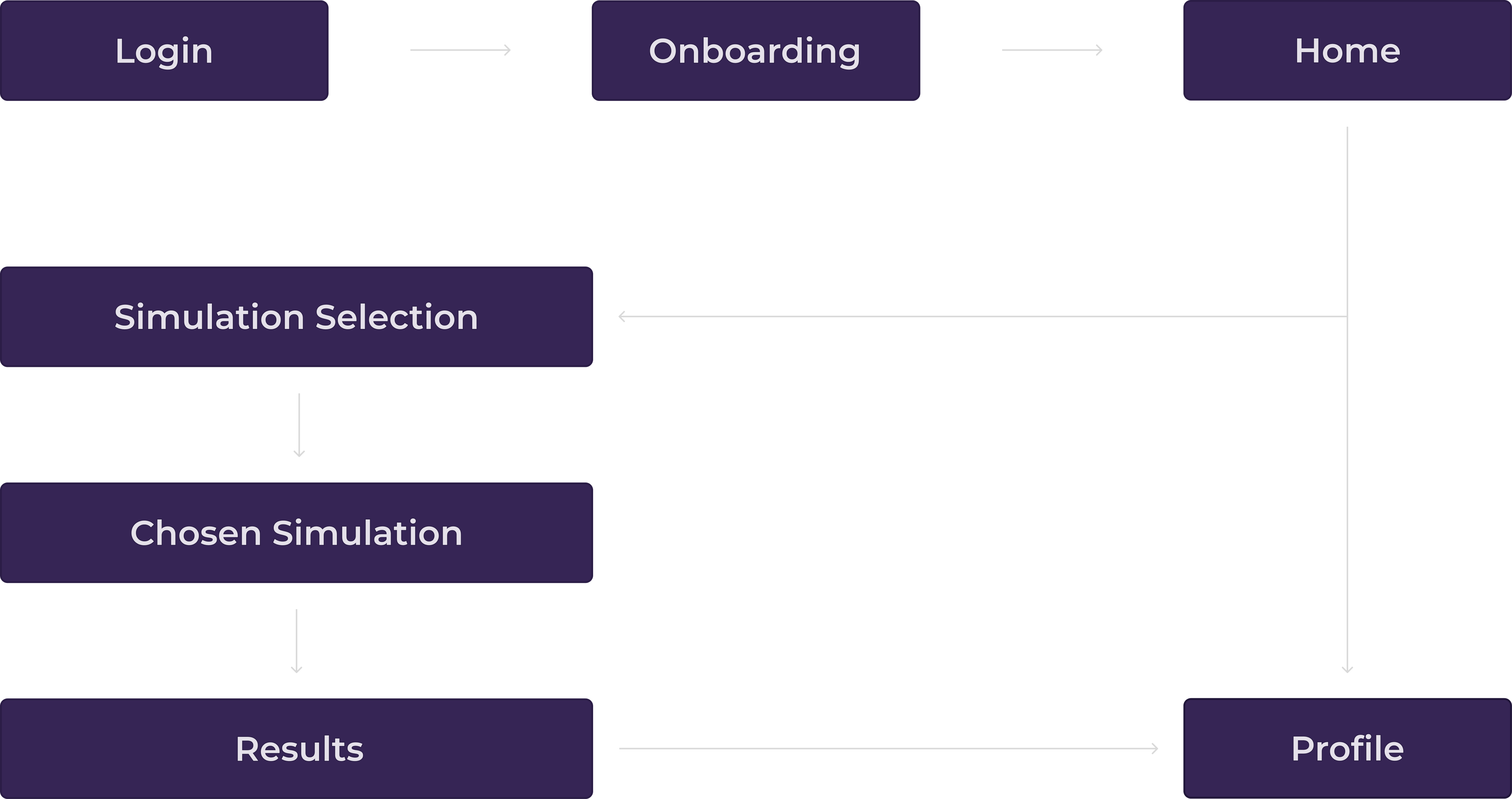
I worked on UI/UX concepts for a 3D job simulation platform designed to help users explore different careers through interactive experiences. My work focused on developing page design ideas, creating intuitive user flows, and exploring layouts that make career discovery feel engaging and easy to navigate. I designed concepts for areas such as job exploration, 3D simulations, progress tracking, user profiles, and personalized career recommendations.
Project Details
My Role
Software Used
Project Goal
The Objective
The goal of this project was to design a platform that helps people explore and understand different career paths through interactive 3D job simulations. By allowing users to experience what different jobs and sectors are like in a more engaging and hands-on way, the platform aims to help them make more informed decisions about their future careers. The platform is designed to give users a better idea of what to expect from different careers, while also helping them discover their interests and identify which career paths may suit them best.
Design Focus
The design focuses on creating a highly visual and intuitive experience, allowing users to quickly understand and identify the jobs they are exploring with minimal reading. Visual elements such as imagery, icons, and clear layouts help communicate information at a glance. The platform also needed to be simple and user-friendly, as it is designed for a broad target audience with different levels of digital experience. The goal was to make the interface easy to understand and navigate for everyone.
The Core Loop

01 Discover
Find careers and job sectors that spark your interest.
02 Investigate
Explore different roles and learn what each career involves.

03 Experience
Step into an interactive 3D simulation and experience the career firsthand.

04 Reflect
Review your performance, track your progress, and see what careers suit you.

05 Continue
Use your interests and results to discover new careers and simulations.
User Flow
Color Palette
Key Features

3D Simulations
Explore realistic 3D work environments and experience different careers before deciding what interests you.

Interest Tracking
Save jobs and activities you enjoy to build a personal profile based on your interests.
Progress Tracking
Track your completed simulations, experiences, and progress as you explore different career paths.

Job Discovery
Browse a range of careers and explore what each role is like through interactive simulations.

Personal Dashboard
View your progress, saved careers, completed simulations, and recommendations in one place.
References Showcase
Design Decisions
Visual Navigation
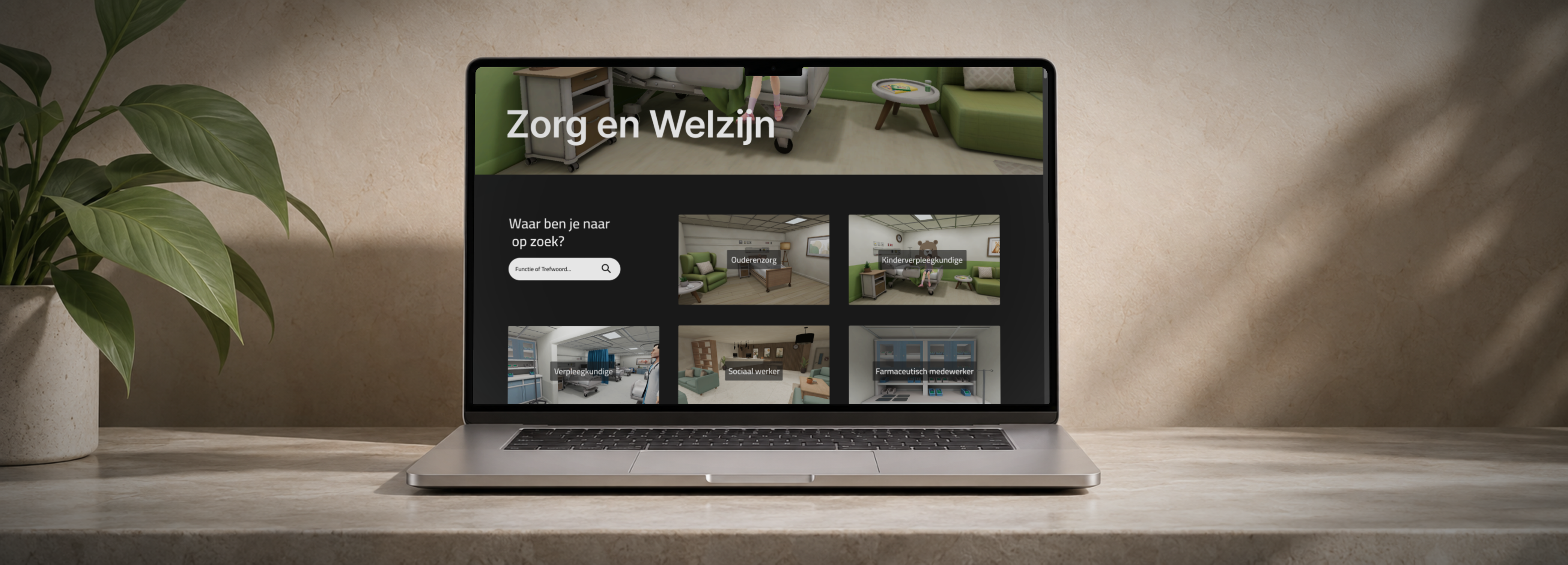
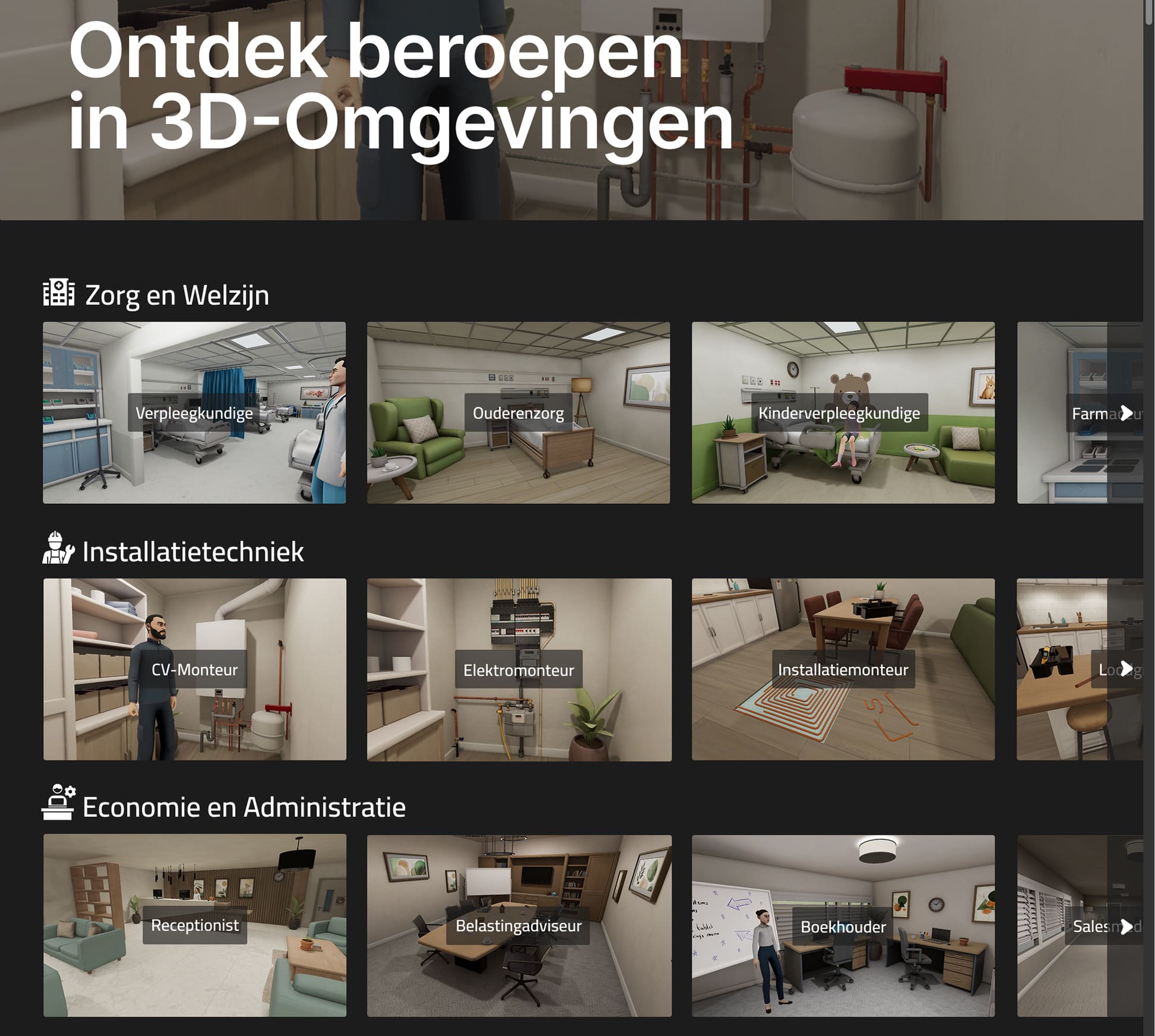
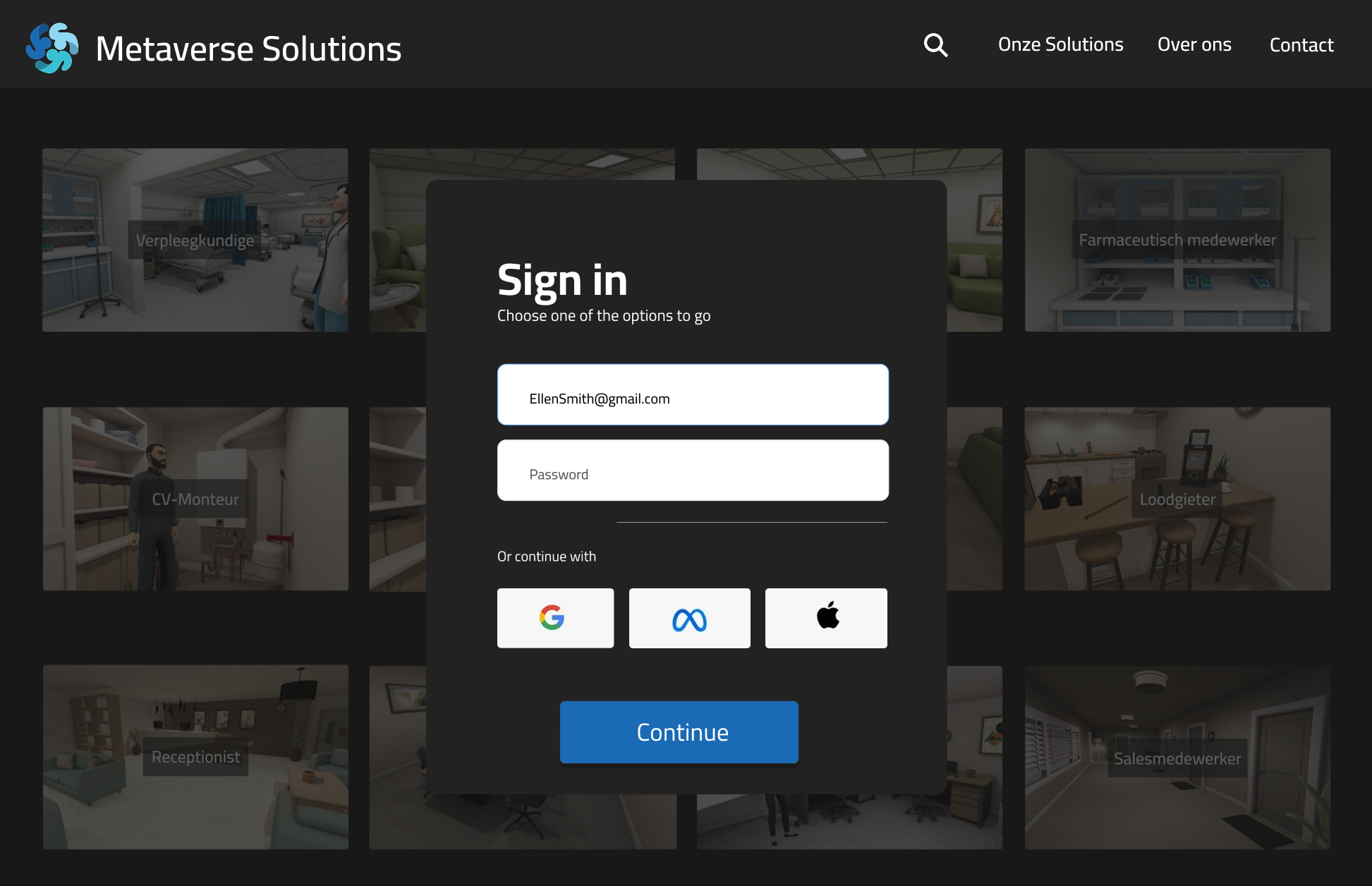
To keep the website visual and easy to navigate, I used large images as thumbnails for the different job sectors and simulations. This makes sure users quickly understand what each job or sector is about at a quick glance, while the visuals can also spark curiosity and encourage them to explore areas that catch their interest.

Organization
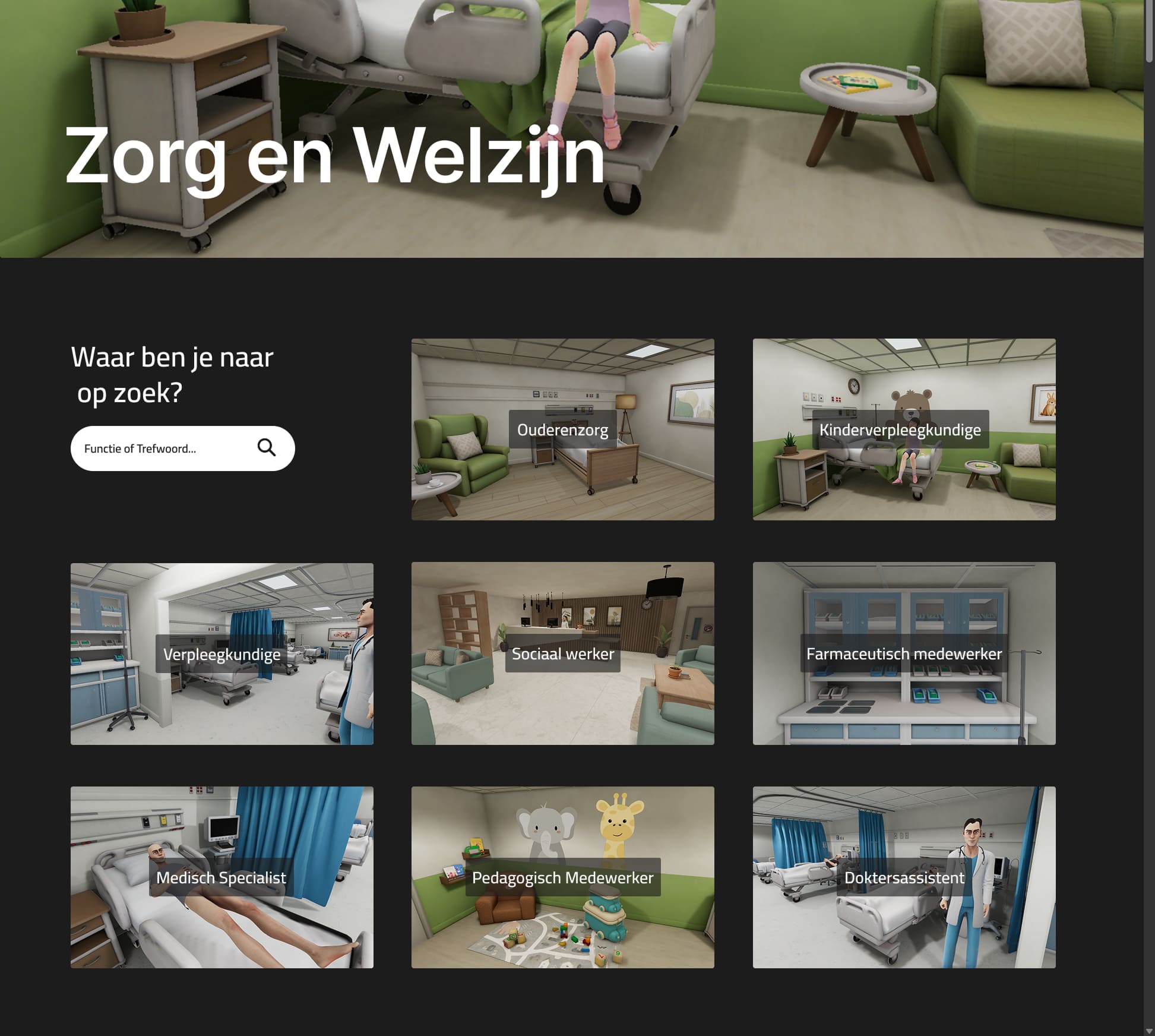
Since the platform is expected to grow and potentially include a large number of different jobs, I decided to explore a design where jobs are split into different job sectors. In this approach, selecting a sector would take users to a dedicated page displaying all jobs within that category. I chose this structure to keep the growing selection organized and make it easier for users to browse without being overwhelmed by too many options at once.

Reflection
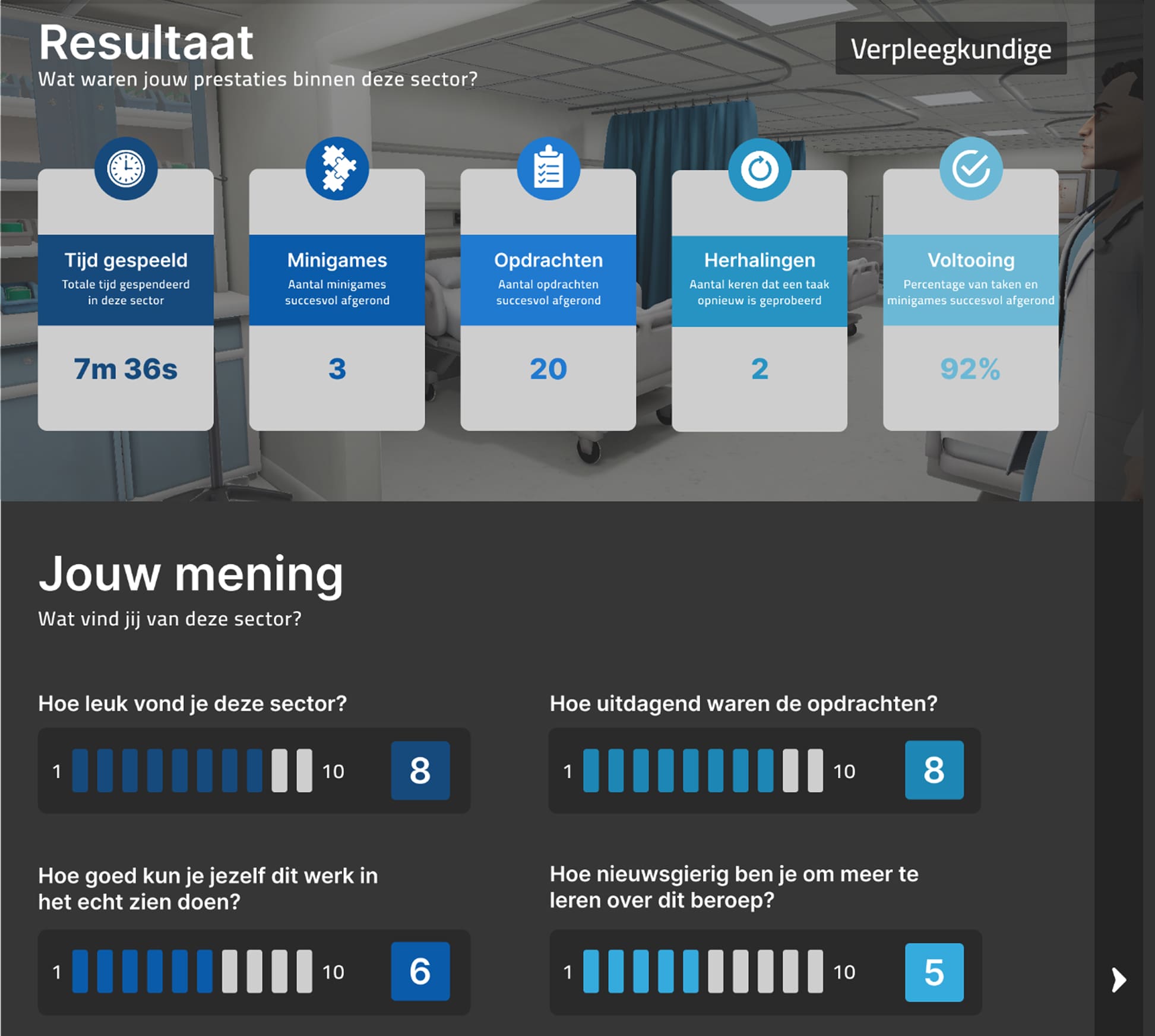
To help players reflect on whether they enjoyed a particular sector, I proposed a design where they can review their performance statistics and rate different aspects of the sector based on their personal experience. This would give players both objective insights through their statistics and a way to write down their own opinions and preferences.
Design Showcase
Conclusions
Reflection
Looking back on this project, I am happy with how the designs turned out. Throughout the process, I focused strongly on usability and considered how the platform could be made as user-friendly and intuitive as possible. This also led me to develop several ideas that could potentially improve the overall user experience. I also placed a strong emphasis on incorporating visual elements into the design. By using visuals to guide users and present information clearly, I aimed to make it easier for them to navigate the website and quickly find the information they are looking for.
Lessons Learned
During this project, I learned the importance of always keeping the needs of the project and its users in mind. For these designs, it was important to not only create something visually appealing, but also to ensure that users could easily find the information they needed and navigate the platform intuitively. I also learned that simplicity can sometimes be more effective than a complex or visually impressive design. By keeping the interface clear and easy to understand, the platform can remain accessible and user-friendly for a wide range of different users and audiences. This helped me understand that a successful design is not necessarily the most visually complex one, but the one that best meets the needs of the project and its users.